Connect Lakehouses to Power BI
Use a lakehouse when your team needs curated warehouse data with more flexibility for self-service reporting.
A Lakehouse provides an access point to the Enterprise Data Warehouse for curated datasets. Lakehouse data can be shared with people in your organization and limited to the required warehouse tables. Your team manages refreshes, report modeling, access to your work, and AI data preparation.
| Option | Best For | Consideration |
|---|---|---|
| Lakehouse | Flexible exploration and team-owned reporting from curated warehouse data. | Your team manages report modeling, refreshes, and final report design. |
| Semantic Model | Ready-to-use governed reporting with relationships, measures, and refreshes prepared centrally. | Less flexible, but more consistent for shared reporting. |
Connect to a Lakehouse
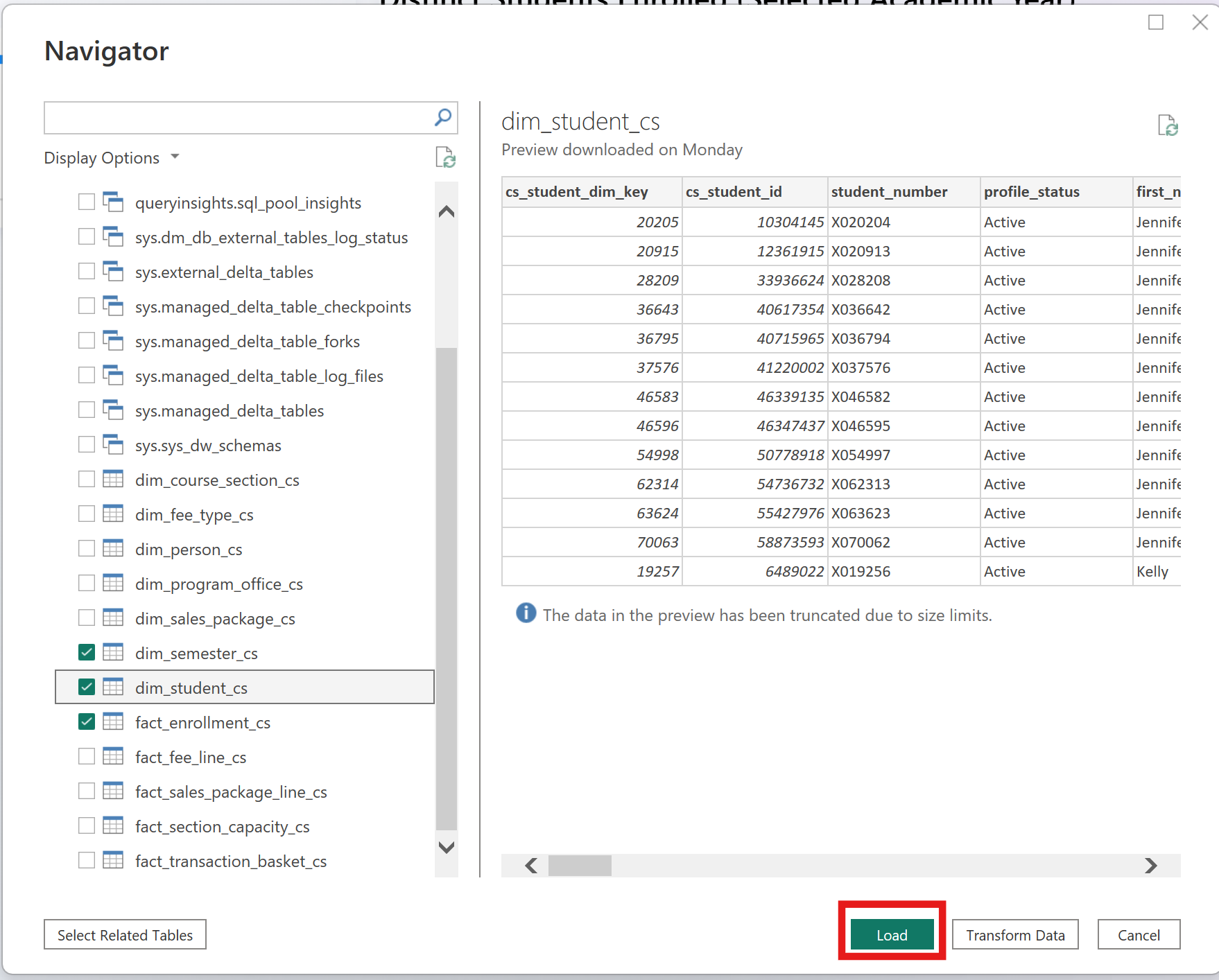
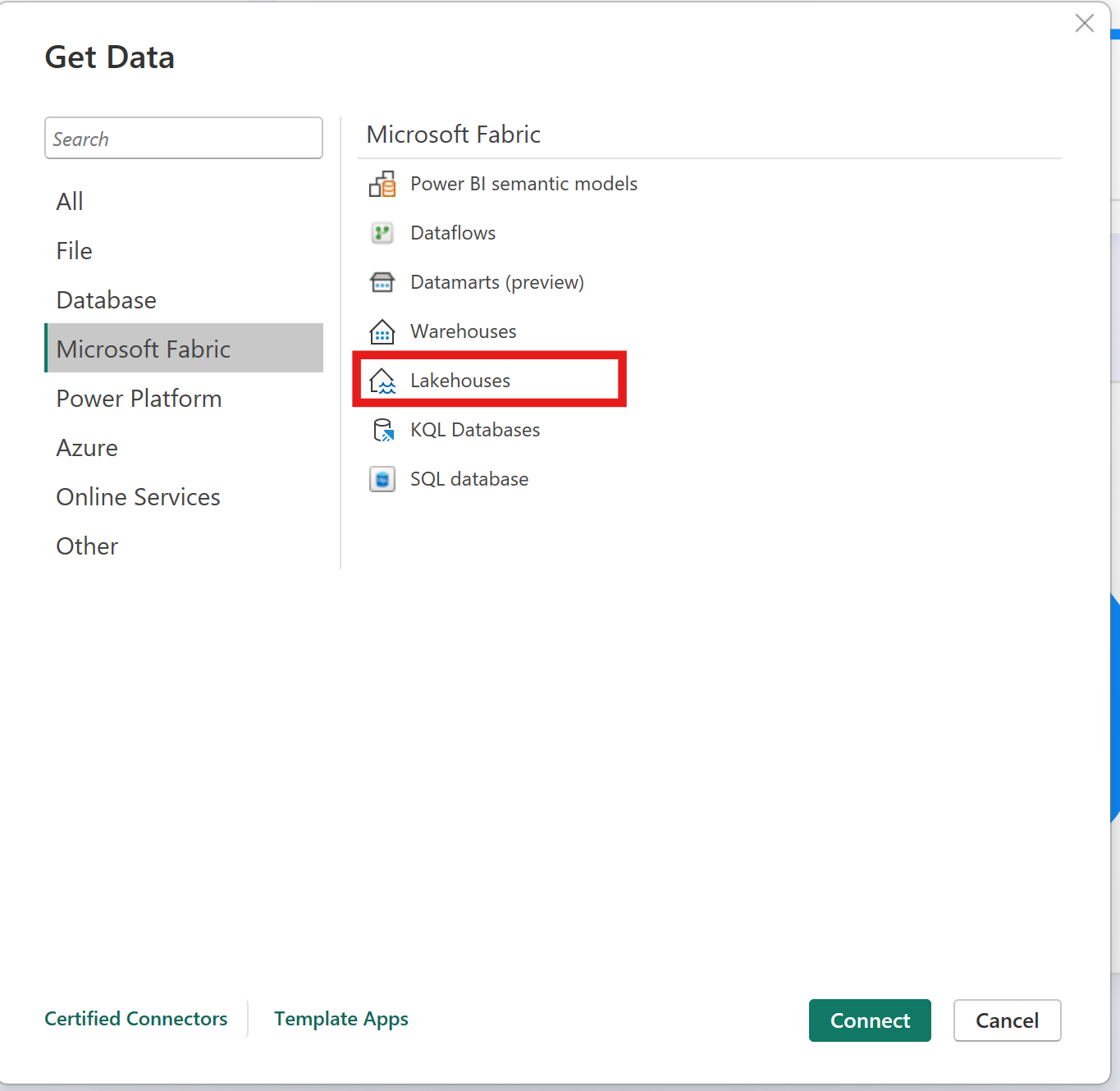
- Select the Lakehouses connector in the connector selection, and then select Connect.
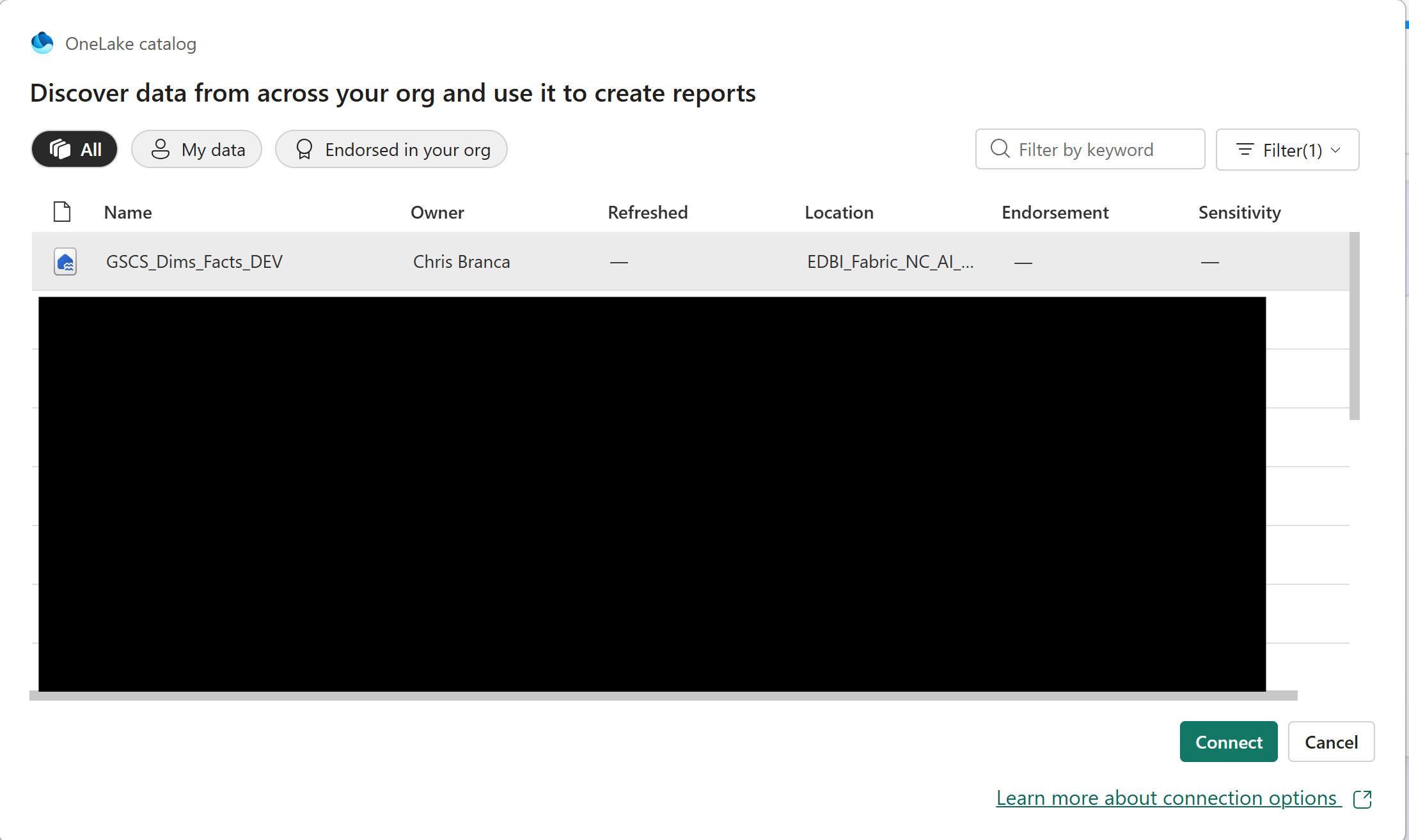
- In the OneLake data hub, select the lakehouse you want to connect to. Optionally, use All, My data, or Endorsed in your org to filter the Lakehouses displayed, then select Connect. Click the arrow next to Connect and choose SQL endpoint to select the SQL endpoint of the Lakehouse.
- Select the data you want to build visuals with from the Data pane in Power BI Desktop.