
Connect Semantic Models to Power BI
Use semantic models when you need a ready-to-use governed dataset with relationships, measures, and refreshes prepared for reporting.
Semantic models are similar to Lakehouses, but additional work has already been done to the information, such as building relationships, calculations, and measures. EDBI can also prepare the data for Copilot use and manage refreshes. An endorsed semantic model gives users confidence that the dataset is curated and prepared for Power BI reporting.
When a semantic model is shared with Build permission, report authors can create reports from the model while the model itself remains managed in its original workspace.
| Option | Best For | Consideration |
|---|---|---|
| Semantic Model | Consistent reporting from approved definitions, relationships, and measures. | Report authors build visuals from the model but do not change the governed model itself. |
| Lakehouse | Flexible exploration and team-owned modeling from curated warehouse data. | Your team manages more of the modeling, refresh, and report design choices. |
Connect to a Semantic Model
- In Power BI Desktop, on the Home tab, select Get Data > Power BI semantic models. Or select Get Data, then under All, select Power BI semantic models, and select Connect. If you are not signed in, Power BI prompts you to sign in.
- The OneLake Catalog shows the workspaces you are a member of and the shared semantic models where you have Build permission.
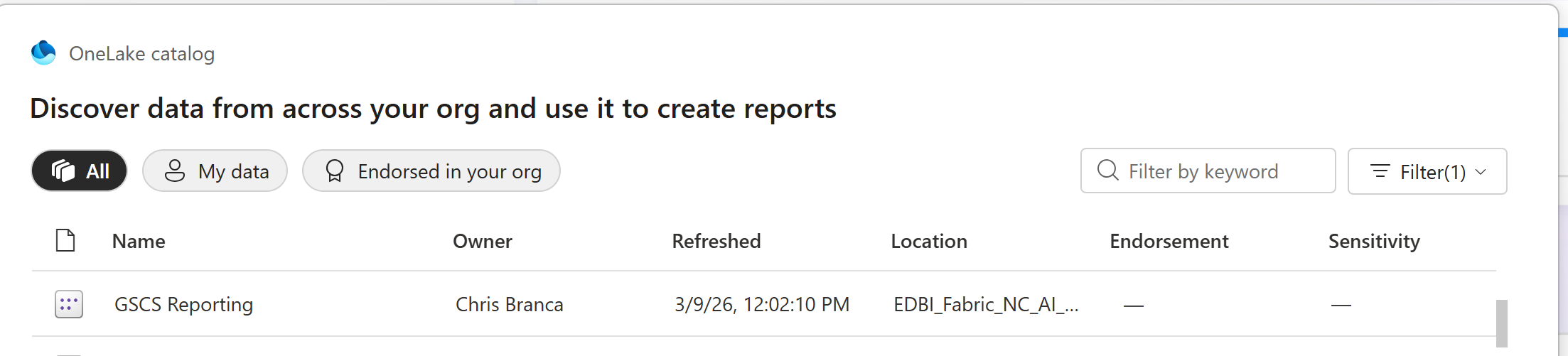
- Select a semantic model, then select Connect to establish a live connection. Power BI Desktop loads the semantic model fields and values in real time.